
cloudfront-ssl-test-2.myshums.uk

This is paragraph text. Click it or hit the Manage Text button to change the font, color, size, format, and more. To set up site-wide paragraph and title styles, go to Site Theme.
00 / HTTPS MATTERS
HTTPS Isn't Optional Anymore - It's the Baseline for a Safe Internet.
HTTPS encrypts the connection between a browser and a website so data can't be read or altered in transit. Without it, every page you visit and every form you submit is exposed to anyone on the network - your passwords, messages, and personal details included.
01 / WHAT IS HTTPS

What HTTPS Actually Means.
HTTPS (HyperText Transfer Protocol Secure) is the encrypted version of HTTP, the protocol that carries data between a browser and a website. The "S" means every request and response is scrambled in transit, so passwords, messages, and payment details can't be read or changed by anyone intercepting the connection.
HTTP sends data as readable plain text, meaning anyone on the same network - a public Wi-Fi hotspot, an ISP, an attacker - can potentially see or tamper with it. HTTPS wraps that same data in encryption using SSL/TLS, making it unreadable to anyone without the right keys.
Five Reasons HTTPS Is Non-Negotiable.
HTTPS matters because it protects data, verifies identity, and is now a baseline trust signal browsers and search engines check for.
1. Data encryption - scrambles information in transit so it's unreadable to anyone intercepting it.
2. Protection from eavesdropping and tampering - prevents attackers on the same network from reading or altering data as it moves.
3. User trust - visitors recognize the padlock icon as a signal the site is safe to enter information into.
4. Authentication of website identity - SSL/TLS certificates confirm visitors are connected to the real site, not an impostor.
5. SEO and browser trust signals - search engines favor HTTPS sites, and browsers flag non-HTTPS sites as "Not Secure."
02 / WHY IT MATTERS
Data Encryption
Eavesdropping Protection
User Trust
Website Authentication
SEO & Browser Signals
03 / RISKS OF HTTP
What Happens When a Site Skips HTTPS.
Unencrypted HTTP connections expose everything sent between a browser and a website to anyone who can see the network traffic.
1. Data interception - passwords, form entries, and personal details can be read in plain text by anyone monitoring the connection.
2. Man-in-the-middle attacks - an attacker can secretly intercept and alter data being exchanged, including redirecting users to fake pages.
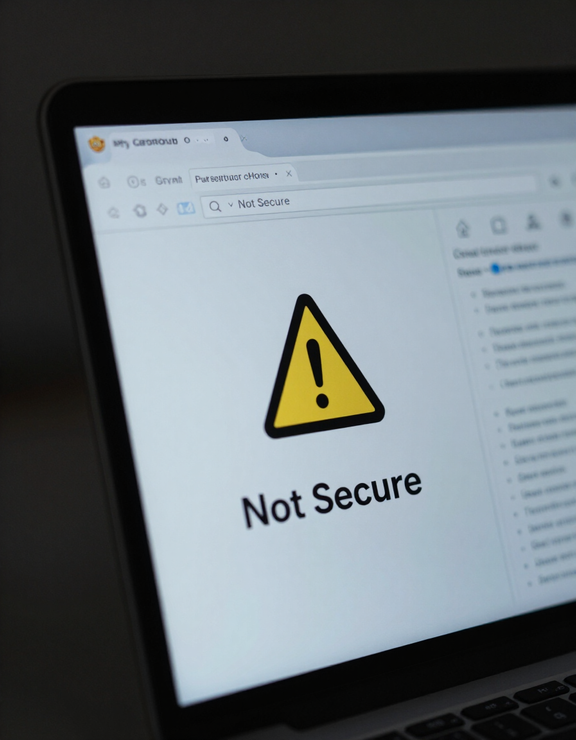
3. Browser security warnings - modern browsers label HTTP pages "Not Secure," which erodes visitor confidence and increases bounce rates.
4. Session hijacking - attackers can steal session cookies over unencrypted connections to impersonate logged-in users.
How a Secure Connection Gets Established.
Establishing HTTPS is a quick back-and-forth handshake between browser and server that happens before any page content loads.
1. Browser requests a secure connection - the browser asks the server to communicate over HTTPS instead of HTTP.
2. Server presents its SSL/TLS certificate - this certificate proves the site's identity and was issued by a trusted certificate authority.
3. Browser verifies the certificate and negotiates encryption keys - both sides agree on a shared method for scrambling data for this session.
4. Encrypted data exchange begins - all further requests and responses are encrypted, shown by the padlock icon in the address bar.
04 / HOW HTTPS WORKS

05 / WHO BENEFITS
HTTPS Protects Two Different People - At Once.
For Everyday Users
Privacy - personal data stays unreadable to eavesdroppers on the network.
Safety - protection from fake sites impersonating real ones via certificate verification.
Confidence - a visible padlock confirms it's safe to enter information.
For Website Owners
Trust and credibility - visitors are more likely to stay and convert on a secure site.
Search ranking - HTTPS is a confirmed ranking signal used by major search engines.
Data protection compliance - encrypting user data helps meet privacy and security standards.
Common Questions About Going HTTPS.
This section answers the practical questions that hold people back from switching to HTTPS.
Does HTTPS cost money?
Many certificate authorities now issue free SSL/TLS certificates (such as Let's Encrypt), and most hosting providers include HTTPS setup at no extra cost, so price is rarely a real barrier anymore.Does every website need HTTPS, even small or personal sites?
Yes - any site that loads in a browser benefits, since browsers flag all HTTP pages as "Not Secure" regardless of size, and any page collecting even basic input is a target for interception.How can I tell if a site I'm visiting is secure?
Look for a padlock icon next to the address bar and confirm the URL starts with "https://" rather than "http://"; clicking the padlock shows certificate details for the site.
Make the Switch to HTTPS.
Whether you're running a website or just browsing one, treat the padlock as the minimum bar for trust - website owners should prioritize moving every page to HTTPS, and visitors should verify the padlock before entering any personal information.